Save it once, reuse it forever
Looks
Build a grade you love, save it as a look, and reuse it across shots and projects. Looks is your personal preset library — every control captured, ready to apply, import, and share.
Your look library
Save a grade, build a library, apply it anywhere — every control captured and editable.
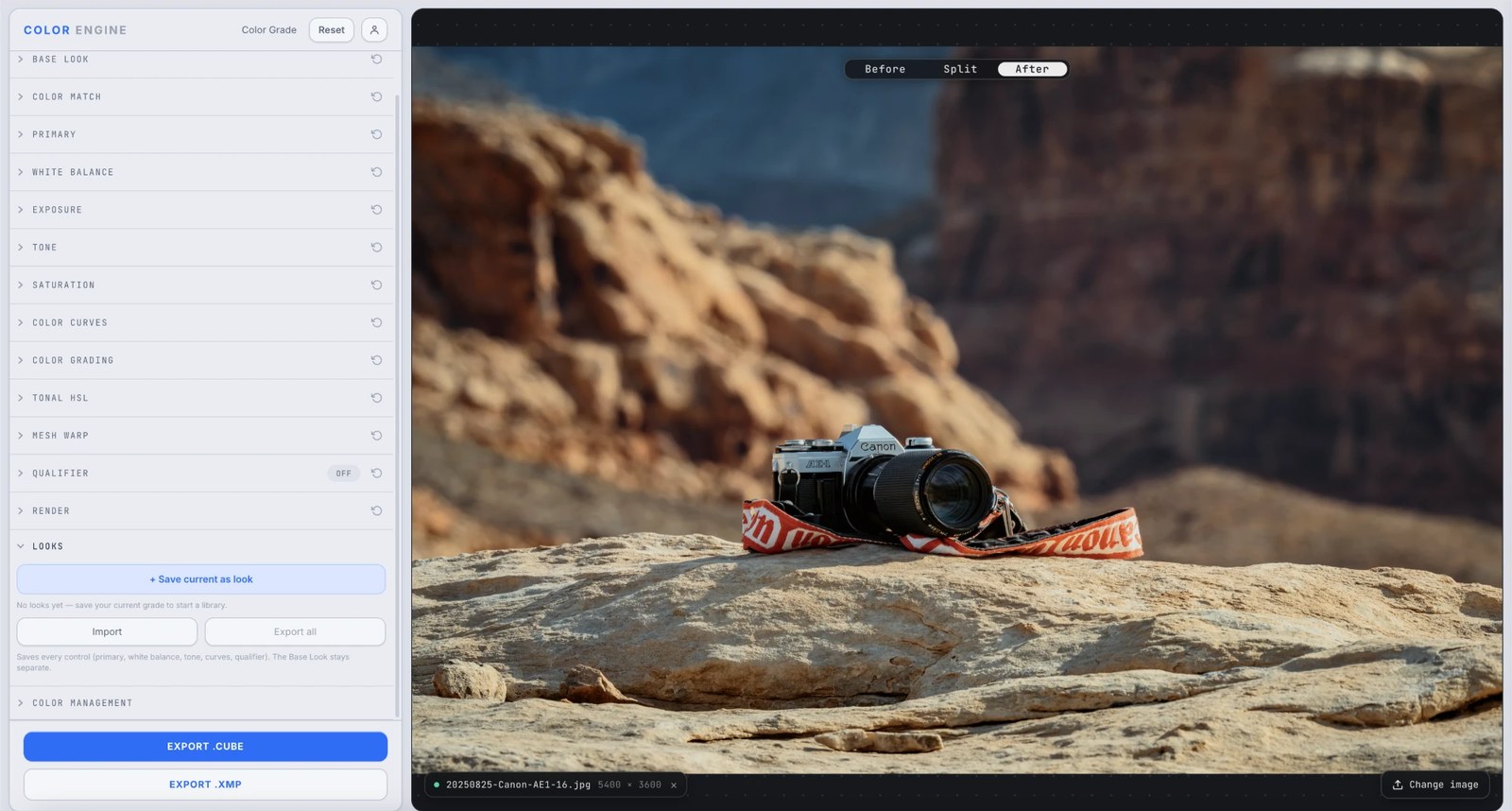
What it is
Looks turns a grade you've built into a reusable preset. Hit save, name it, and it joins your library — apply it to the next shot in one click. Import looks from a file, or export your whole library to share or back up.
A look captures every control — primary, white balance, tone, curves, qualifier, and the rest — as editable settings. Your Base Look LUT stays separate, so a look layers on top of whatever base you've loaded.
The controls
Save current as look
Snapshots your entire grade as a named look in the library.
Apply
One click drops a saved look onto the current image — then keep tweaking, since every value stays editable.
Import / Export all
Bring in looks from a file, or export your whole library to share, sell, or back up.
What to do with it
Where Color Match earns its place in a real grade.
Build a signature
Save the grades you keep reaching for and apply them instantly across a body of work.
Stay consistent across a shoot
Apply one look to every frame so a series shares a coherent feel.
Share or sell a style
Export your library and hand your looks to a collaborator — or package them as a pack.
Iterate without losing work
Save versions as you go, so you can always jump back to a look you liked.
Field tips
- A look is editable, not baked — apply one and keep grading from there.
- Looks layer on top of the Base Look; use a base LUT for the foundation and looks for the move on top.
The science
The part nobody else explains
A look is settings, not pixels
Unlike a baked LUT, a look stores the actual control values — strengths, hues, curve points. Applying one is fully editable: you're loading a starting grade, not stamping a fixed result.
Why the Base Look stays separate
The Base Look is a 3D LUT foundation; a look is the parametric grade you build on top. Keeping them separate lets you swap the base or the look independently instead of fusing them.
Portable by design
Because a look is just structured settings, it exports and imports cleanly — small, shareable, and reproducible on any image, the same way a LUT or .xmp is for the final bake.
Library, not one-off
Saving looks turns one-off grades into a reusable system — the difference between regrading from scratch each time and building on your own accumulated style.
Frequently asked
What does a look save?
Every control — primary, white balance, tone, curves, qualifier, and more — as editable settings. The Base Look LUT stays separate.
Is a look the same as a LUT?
No — a LUT is a baked pixel mapping; a look is editable settings you can apply and keep tweaking. Export to .cube/.xmp when you want the baked version.
Can I share my looks?
Yes — export your whole library to a file and import it elsewhere.
Related features
Try Looks on your own shot
Build a look, match it across a set, and export a LUT or preset in minutes — free for 14 days, no installs.