Where every other tool does its math
Color Management
Color Management is the pipeline the rest of the studio runs inside. It reads your source, converts it into a wide-gamut space built for grading, and renders the result back out to wherever the image is headed. You'll rarely open it — but every slider you do touch depends on it.
The pipeline, made visible
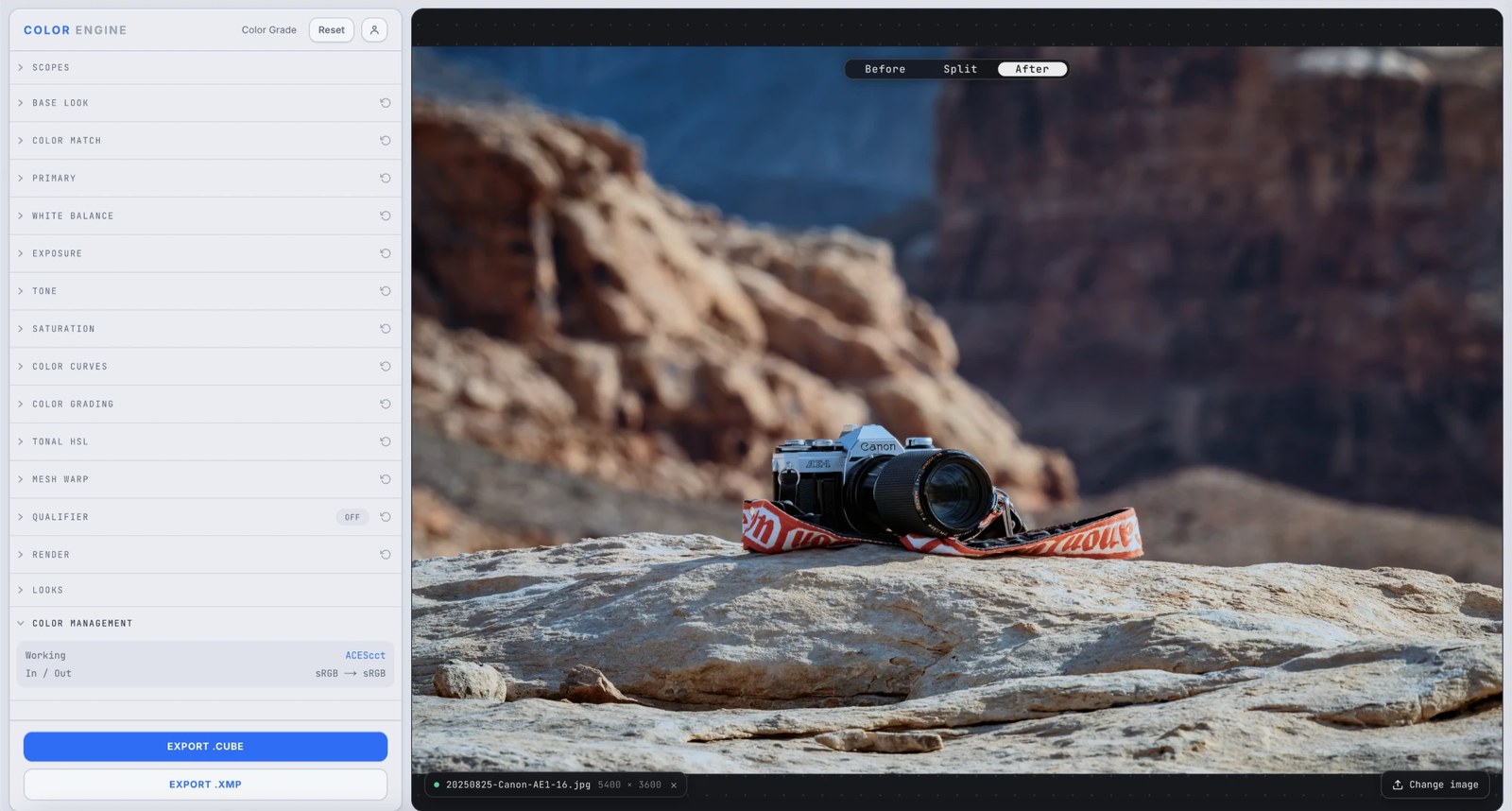
A wide-gamut ACEScct working space, bracketed by input and output transforms.
What it is
Color Management sets three things: the working space every grade operation happens in, and the input and output transforms that bracket it. Your image comes in, gets converted to the working space, takes the full grade, then converts back out to your delivery space.
By default Color Engine grades in ACEScct — a wide-gamut, log-encoded space from the ACES standard, built so grading controls behave predictably and saturated colors don't clip mid-grade — and runs sRGB in, sRGB out for the web and photo work most people are doing.
The controls
Working space
The space every other tool does its math in. ACEScct is a wide-gamut log space built for grading — it gives contrast, lift, and saturation room to move without clipping.
Input transform (In)
How Color Engine reads your source — what color space the incoming file is in. Match it to how the image was encoded so the grade starts from honest color.
Output transform (Out)
The space the graded result is converted to on the way out — your delivery target. sRGB for screens and the web; set it to wherever the image will actually live.
What to do with it
Where Color Match earns its place in a real grade.
Grade with headroom
A wide-gamut log working space means heavy contrast and saturation moves have room to breathe instead of clipping or banding partway through the grade.
Deliver to the right space
Set Output to match the destination so what you export looks the way you graded it — no surprise shift when the file lands on its target screen.
Keep results consistent
Because every tool operates in the same working space, a grade behaves the same way no matter which file you started from.
Speak the industry's language
ACES is the backbone color houses build on — grading in ACEScct means your Color Engine work lines up with Resolve and the rest of a professional pipeline.
Field tips
- Leave it on the defaults unless you have a reason not to — sRGB in / sRGB out covers almost all web and photo work.
- If an export looks shifted, check Output first: it should match where the image is going to be viewed.
The science
The part nobody else explains
Why a working space at all
Every color move is math on pixel values. Do that math in a narrow space like sRGB and aggressive moves clip and band — the values have nowhere to go. A wide working space gives the math room: push hard, and the detail is still there when you render back down.
Why ACEScct specifically
ACEScct is the ACES standard's grading space — wide-gamut (AP1) with a logarithmic encoding and a gentle toe near black. The log curve makes contrast and lift behave the way colorists expect; the wide gamut means saturated colors survive the grade instead of clipping at the edges.
Input and output transforms
The In transform tells Color Engine what your source actually is, so it converts correctly into the working space; the Out transform converts the graded result to your delivery target. They're the same idea as ACES's IDT and ODT — the bookends that keep color honest from source to screen.
Last in the panel, first in the chain
Color Management sits at the bottom of the studio because you rarely open it, not because it's minor. It's the stage every other panel performs on — change the working space and every grade above it is suddenly doing its math somewhere new.
Frequently asked
Do I need to change any of this?
Usually no. The defaults — ACEScct working space, sRGB in and out — are right for web and photo work. Touch Output only if you're delivering to a different target.
What does 'In / Out: sRGB → sRGB' mean?
Your source is read as sRGB, converted into the ACEScct working space for the grade, then converted back to sRGB on the way out. It comes in and leaves as sRGB; the grade happens in a wider space in between.
What is ACEScct?
A wide-gamut, log-encoded color space from the ACES standard, built for color grading — wide enough that saturated colors don't clip, encoded so grading controls feel natural.
Will this change how my export looks?
The Output transform will — it maps your graded image to its delivery space. Set it to match where the image will be viewed and what you see is what you'll get.
Try Color Management on your own shot
Build a look, match it across a set, and export a LUT or preset in minutes — free for 14 days, no installs.