How your look meets the screen
Render
The final transform between your grade and the display — it decides how bright, saturated colors behave as they approach white. Colorimetric, filmic, or hue-preserving, with gamut compression to keep everything in-bounds.
Display, Filmic, Neutral
Three ways your look meets the screen — colorimetric, film-style rolloff, or hue-preserving.
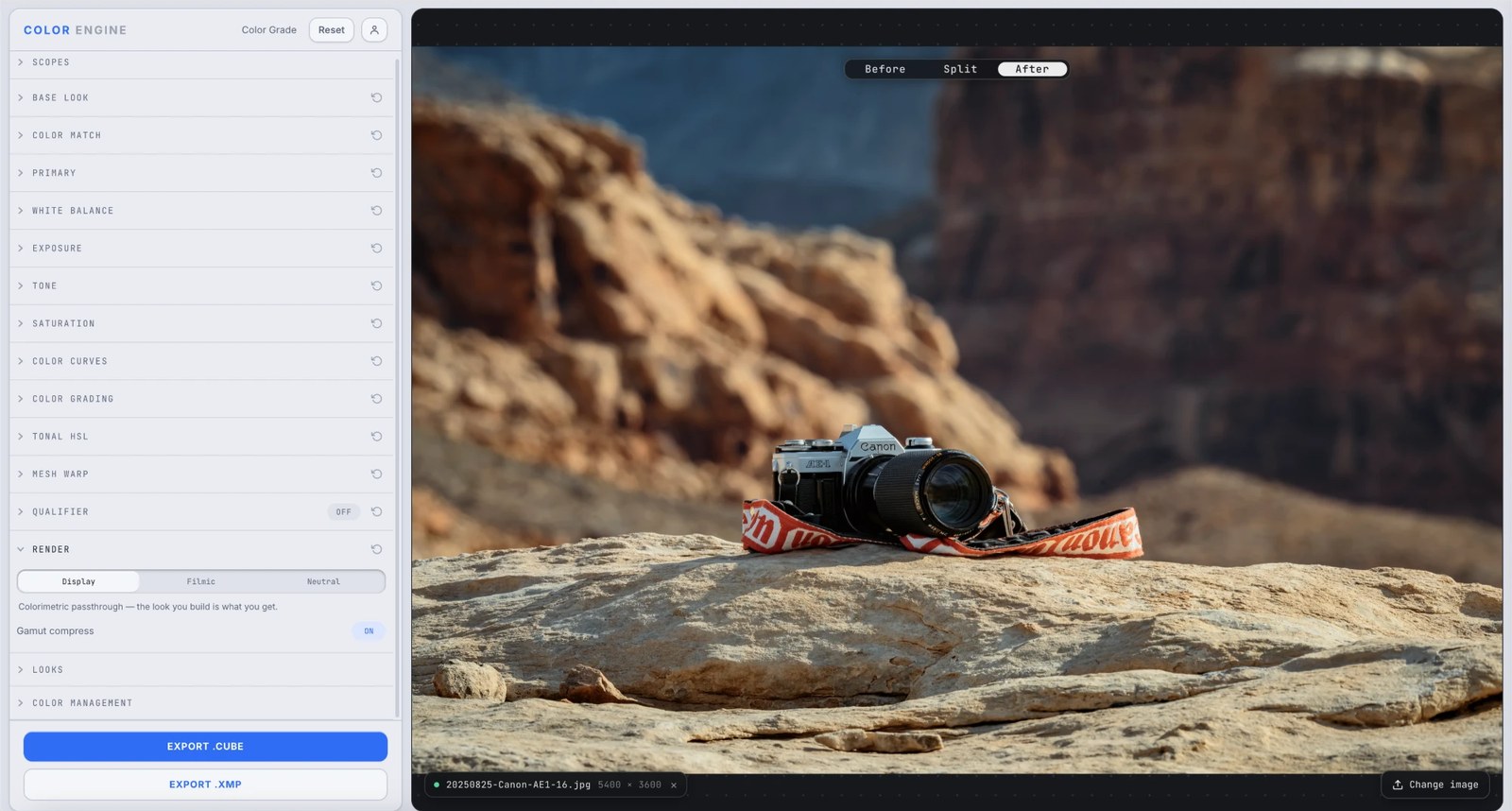
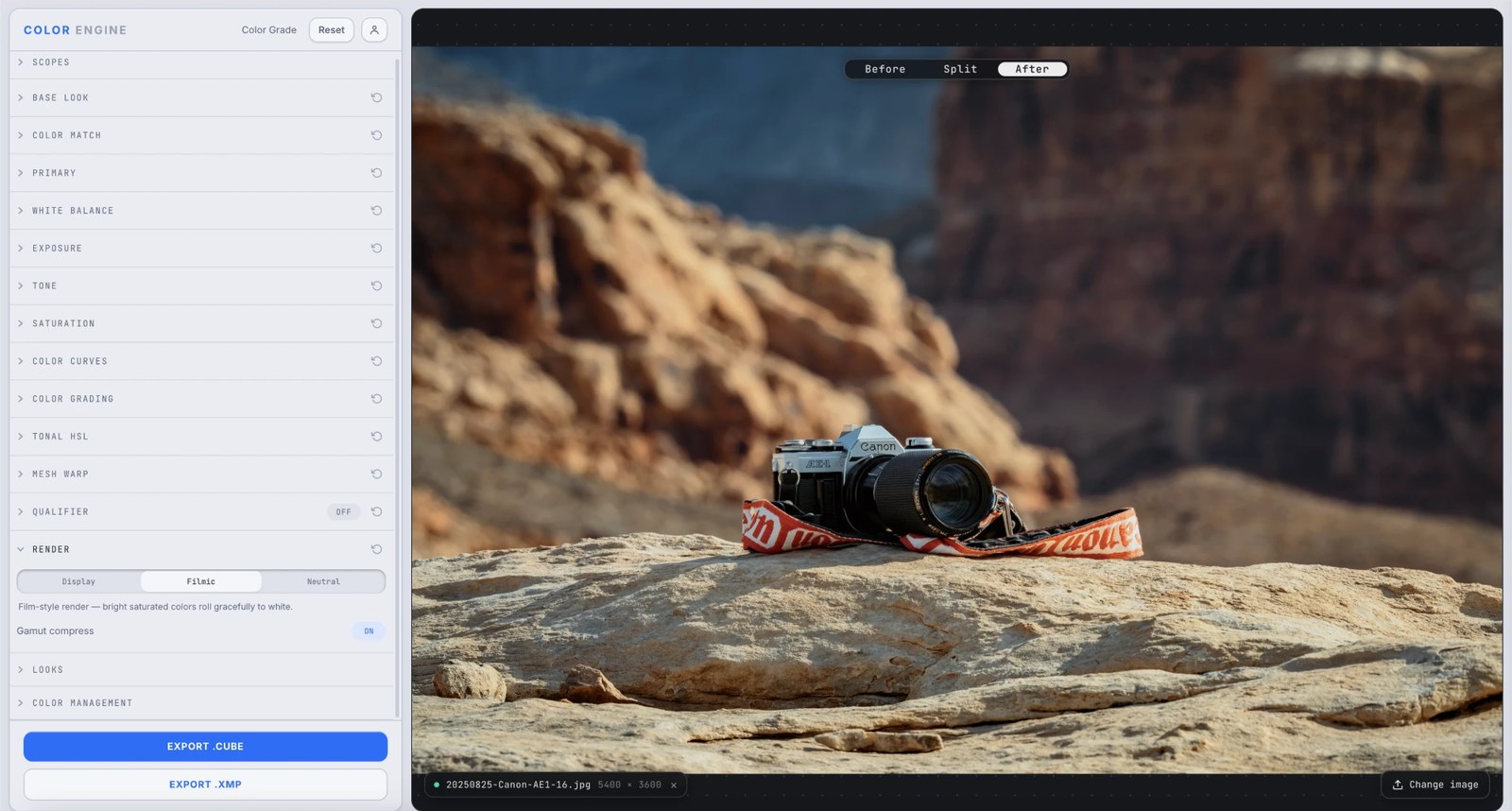
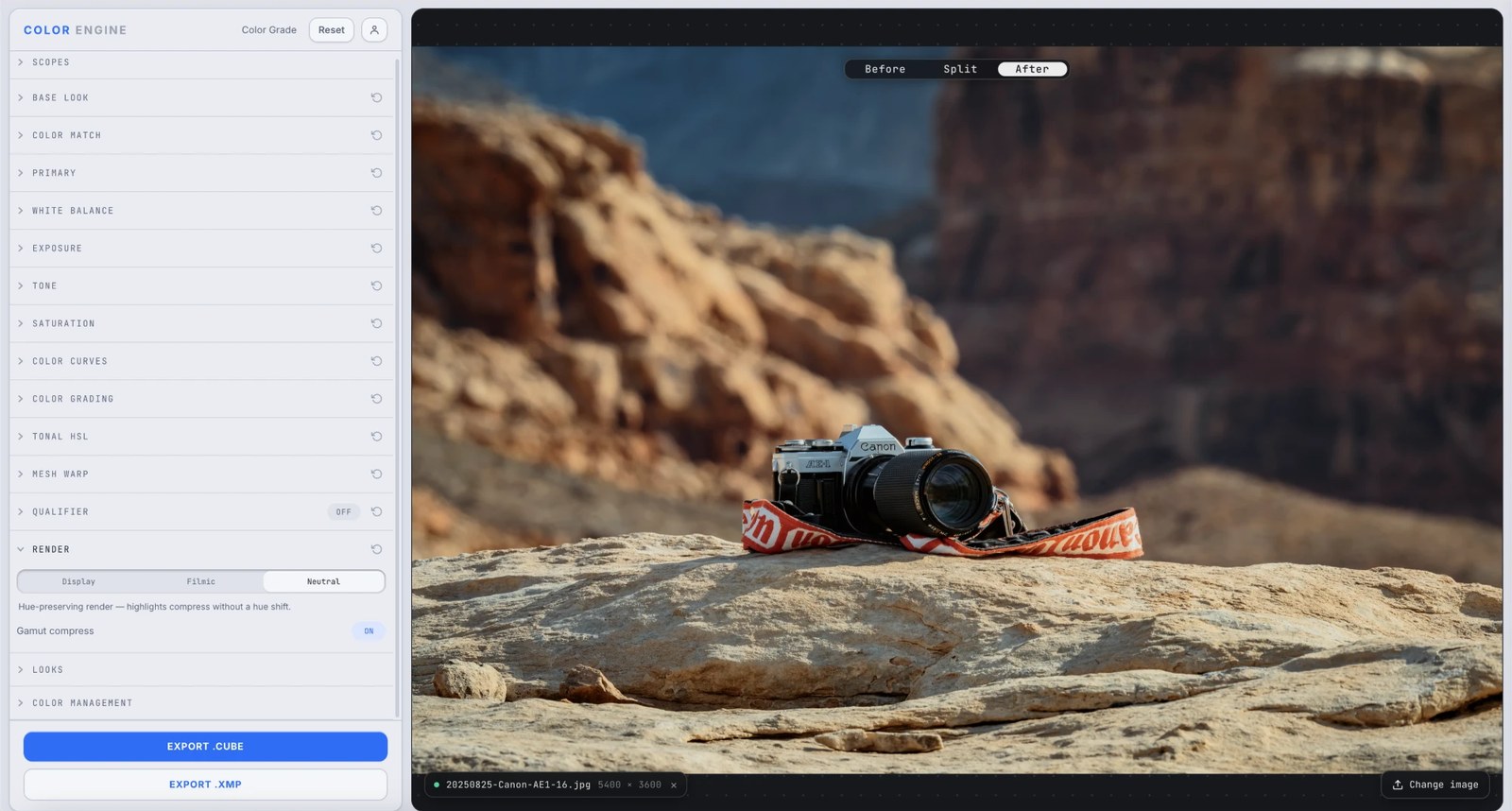
What it is
Render is the last step — the transform that maps your graded image to the display. It decides what happens to bright, saturated colors as they push toward white, and keeps colors inside what the screen can actually show.
Three modes cover the range from literal to filmic, and a Gamut compress toggle reins in out-of-bounds colors so they don't clip into flat patches.
The controls
Display
Colorimetric passthrough — the look you build is exactly what you get. No rolloff, no surprises.
Filmic
A film-style render — bright, saturated colors roll gracefully to white instead of clipping hard, the way film highlights behave.
Neutral
Hue-preserving — highlights compress without shifting hue, so a bright red stays red as it brightens instead of skewing orange.
Gamut compress
Pulls out-of-gamut colors back into what the display can show, so intense colors keep their detail instead of clipping into a solid block.
What to do with it
Where Color Match earns its place in a real grade.
Deliver a literal grade
Use Display when you want exactly what you built, pixel-accurate — for matching or technical work.
Tame harsh highlights
Switch to Filmic so bright speculars and saturated lights roll off smoothly instead of clipping.
Keep hues honest into the highlights
Use Neutral when a bright colored light is skewing hue as it clips — it compresses without the shift.
Rescue intense colors
Leave Gamut compress on so a neon sign or a saturated sky keeps its shape instead of flattening.
Field tips
- Filmic flatters most photographic looks; reach for Display when you need exactly what you graded.
- Keep Gamut compress on unless you have a specific reason not to — it prevents ugly clipping.
The science
The part nobody else explains
Why highlights need a rolloff
Real scenes carry a far wider range than any screen. As bright, saturated colors approach the display's ceiling, something has to give — clip them hard and you get flat, colorless patches. A filmic rolloff eases them to white gracefully, the way film does, preserving the sense of highlight detail.
Hue shift on the way to white
Naively compressing a bright color toward white often skews its hue — reds drift orange, blues drift cyan. The Neutral render compresses luminance while holding hue constant, so colors brighten without changing identity.
Gamut compression
A grade can push colors beyond what the display can reproduce. Gamut compress maps those out-of-bounds colors back inside the boundary smoothly, so they keep gradation instead of clipping to a solid edge.
It's the last word
Render sits at the end of the chain, after every other panel, and bakes into the export — so the rolloff and gamut handling travel with your LUT/.xmp.
Frequently asked
Display vs Filmic vs Neutral?
Display is a literal passthrough; Filmic rolls highlights to white (film-style); Neutral compresses highlights without a hue shift.
What does Gamut compress do?
It pulls out-of-gamut colors back in-bounds so intense colors keep detail instead of clipping into a flat block.
Which should I use?
Filmic for most photographic looks; Display when you need exactly what you graded; Neutral when bright colors are skewing hue as they brighten.
Related features
Try Render on your own shot
Build a look, match it across a set, and export a LUT or preset in minutes — free for 14 days, no installs.