Bend color on its own axes
Color Curves
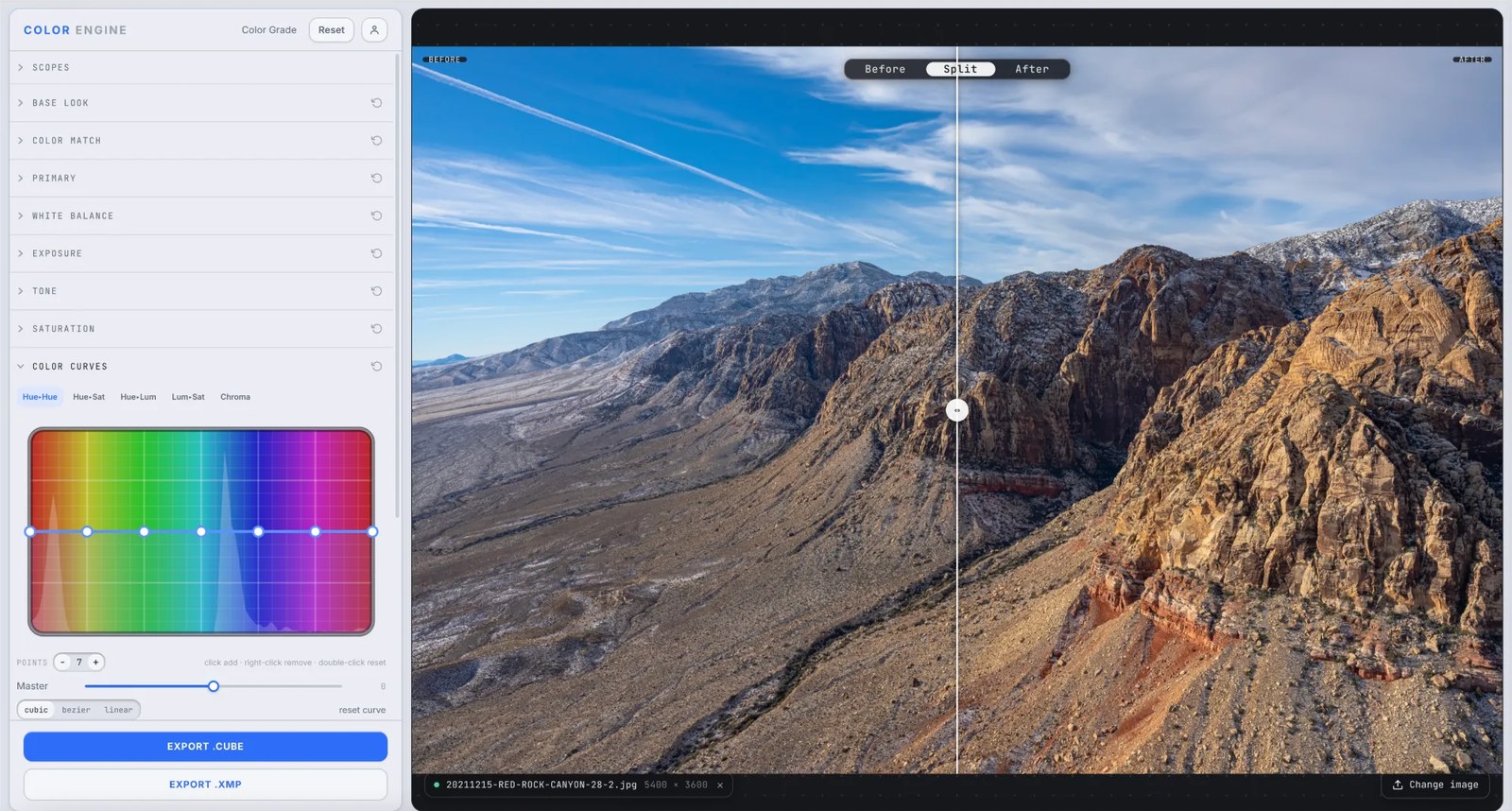
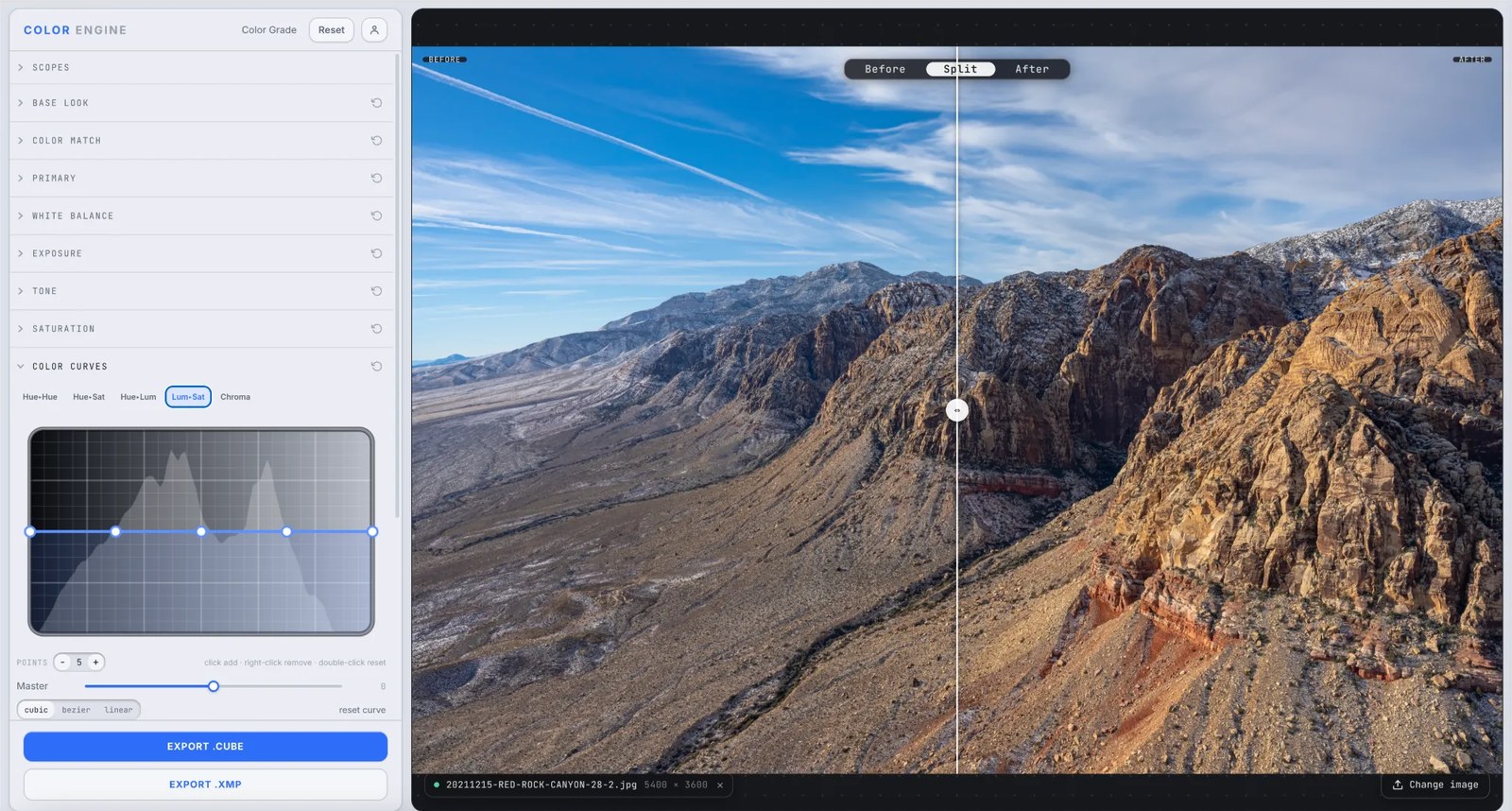
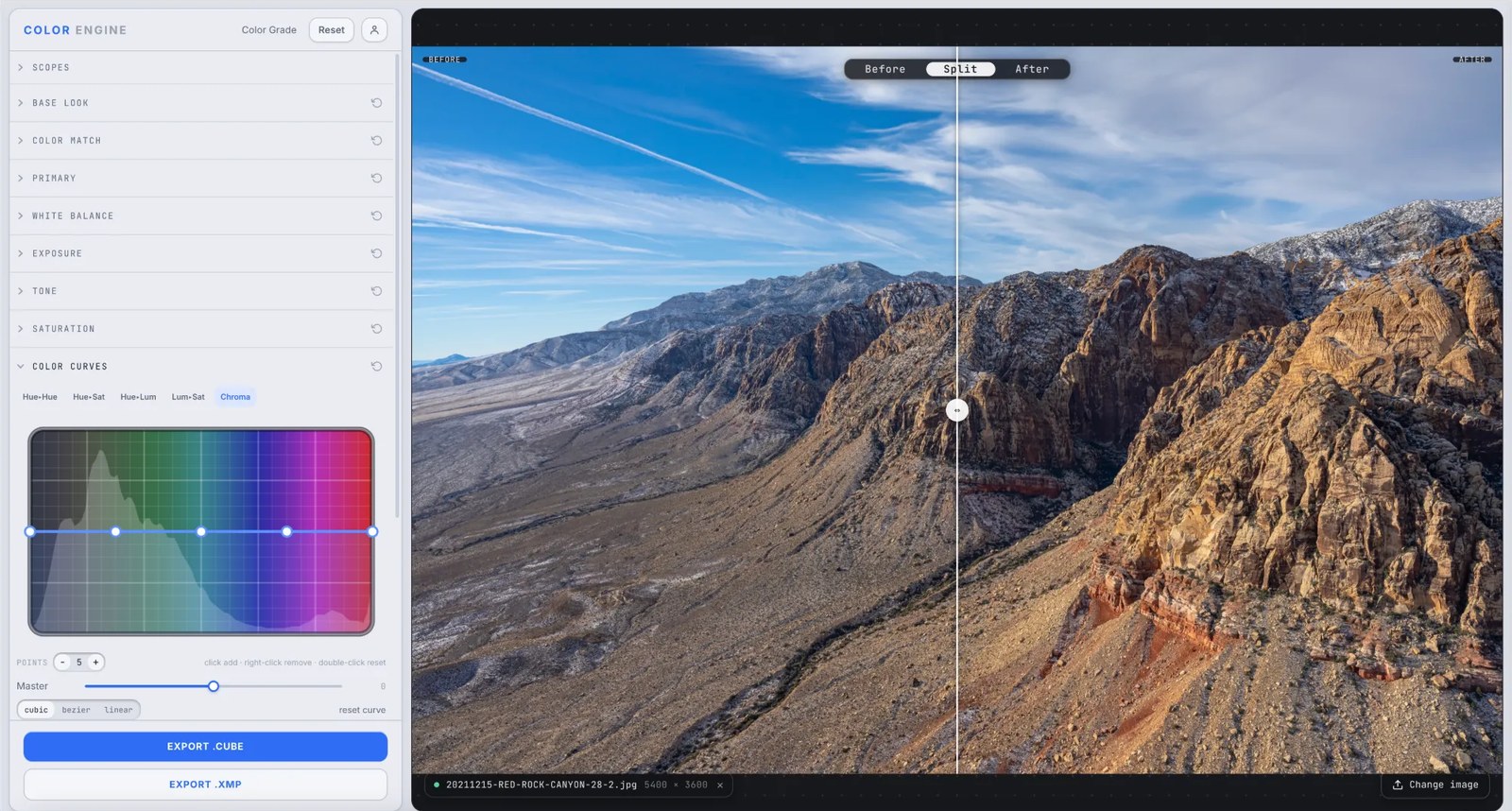
Five curves that work in color's own language. Rotate one hue toward another, mute just the greens, darken only the blues, pull saturation from the shadows, or rein in your loudest chroma — each a smooth, continuous bend across the spectrum.
Five curves, in color's language
Hue→Hue, Hue→Sat, Hue→Lum, Lum→Sat, and Chroma — bend color on its own axes.
What it is
Color Curves works the way a colorist thinks: pick a property and bend it against another. Hue→Hue rotates one color toward a different one; Hue→Sat and Hue→Lum change a chosen hue's intensity or brightness; Lum→Sat ties saturation to brightness; and Chroma targets pixels by how colorful they already are.
Where Tone bends the red, green, and blue channels, Color Curves bends color itself — swing the oranges warmer, mute only the greens, or pull the saturation out of your highlights, each without touching the rest of the frame.
The controls
Hue → Hue
Pick a hue and rotate it toward another — swing an electric sky toward cyan, or nudge oranges toward red.
Hue → Sat
Raise or lower the saturation of one hue only — mute a distracting green while the reds stay rich.
Hue → Lum
Brighten or darken a specific hue — deepen a blue sky without darkening the rocks beneath it.
Lum → Sat
Change saturation by brightness — pull color out of noisy shadows, or let the highlights bloom.
Chroma
Target pixels by how colorful they already are — rein in the most saturated colors, or lift the muted ones.
Points, Master & interpolation
Click to add a point, right-click to remove, double-click to reset; set a Master amount and choose cubic, bezier, or linear.
What to do with it
Where Color Match earns its place in a real grade.
Fix one color without a mask
Rotate an off hue with Hue→Hue or mute it with Hue→Sat — surgical color correction, no keying required.
Deepen a sky
Drop the blues on Hue→Lum and the sky gains depth while everything else holds.
Calm a loud frame
Use Lum→Sat to pull saturation from the highlights, or Chroma to rein in only the most colorful pixels.
Build a signature palette
Rotate hues toward a target with Hue→Hue to push the whole image into a deliberate color world.
Field tips
- Hue→Hue is the cleanest way to fix a single off color — rotate it, don't mask it.
- Small moves go a long way; a few degrees of hue rotation already reads as a deliberate look.
The science
The part nobody else explains
Color, on its own axes
RGB curves bend the red, green, and blue channels; these curves bend perceptual properties — hue, saturation, luminance, chroma — directly. That's why you can rotate one color toward another without disturbing its neighbors.
Hue versus everything
On the hue curves the horizontal axis is the color you have; the vertical is what you do to it — its new hue, its saturation, its brightness. Drop a point on the oranges and lift it, and only the oranges respond.
Lum→Sat and Chroma: saturation with judgment
Lum→Sat ties saturation to brightness, so you can desaturate noisy shadows or bloom the highlights; Chroma targets by existing colorfulness, taming the loudest colors without flattening the subtle ones.
Color Curves vs Tonal HSL
Both target color by hue — but Color Curves draws one smooth, continuous response across the whole spectrum, while Tonal HSL splits each hue into shadows and highlights. Reach for curves for spectrum-wide shaping, Tonal HSL for tonal-zone control.
Frequently asked
Color Curves vs Tone — what's the difference?
Tone bends the red, green, and blue channels (tonal contrast and RGB balance). Color Curves bends color properties directly — hue, saturation, luminance, chroma — so you can target one color at a time.
How do I shift just one color?
Use Hue→Hue to rotate it or Hue→Sat to mute it: drop a point on that hue and drag. Only that part of the spectrum moves.
What does the Chroma curve do?
It targets pixels by how saturated they already are — ideal for reining in the most colorful areas without desaturating the whole image.
Related features
Try Color Curves on your own shot
Build a look, match it across a set, and export a LUT or preset in minutes — free for 14 days, no installs.