Get your neutrals actually neutral
White Balance
Before any look, the foundation: make white read white. White Balance corrects the color of your light — the amber of tungsten, the blue of shade, the green of fluorescents — with two simple axes, so everything you grade on top sits on honest color.
Two axes, honest neutrals
Temperature and Tint, a preset to start from, and a Film or Clean correction model.
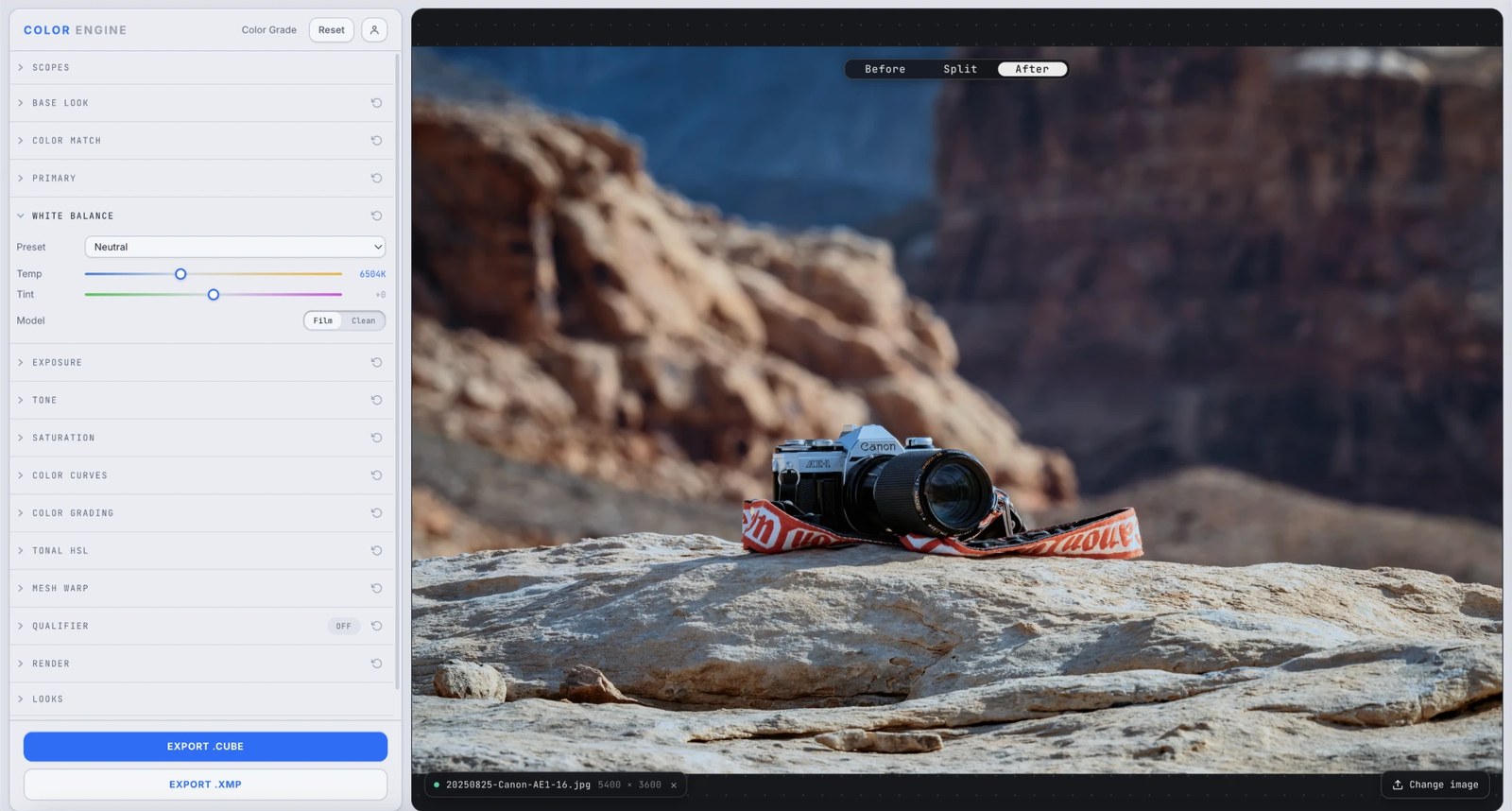
What it is
White Balance shifts your image along two axes — Temperature (blue ↔ amber) and Tint (green ↔ magenta) — to cancel the color of the light you shot under, or to push a deliberate warm or cool mood.
Those two axes can reach any cast, because almost every real-world light source sits somewhere on the blue-amber / green-magenta plane.
The controls
Preset
Jump to a reference white point — Neutral sits at ≈6500K daylight — then fine-tune from there. Custom lets you dial any temperature by hand.
Temperature
Warms or cools along the blue–amber axis, in Kelvin. Raise it to counter cool shade or a blue cast; lower it to tame tungsten orange.
Tint
Corrects the green–magenta axis — the one temperature can't reach. Toward magenta to kill fluorescent green; toward green to balance a magenta cast.
Model — Film / Clean
How the shift is applied. Clean is a straight, colorimetric correction; Film emulates the way film stock rebalances to a change in light — a warmer, more organic result, less clinical.
What to do with it
Where Color Match earns its place in a real grade.
Fix a wrong white balance
Shot on the wrong preset? Drop to a matching white point, then nudge Temp until neutrals read clean.
Tame mixed lighting
Window daylight plus a tungsten lamp fight each other; balance to the light on your subject and let the rest fall where it may.
Warm or cool a mood
Nudge temperature warm for golden-hour comfort or cool for a clinical, modern feel — corrective tools make great creative ones.
Set a neutral base to grade on
Neutralize first so your curves and color wheels act on honest color, not a hidden cast.
Field tips
- Balance to the light on your subject, not the whole frame — a believable face beats a technically-neutral background.
- Check your work on the vectorscope: a balanced neutral sits dead center.
The science
The part nobody else explains
Color temperature, in Kelvin
Light sources glow at a 'temperature' — candlelight around 1900K (amber), open shade around 8000K (blue). The Temperature control is just the inverse correction: add the opposite of the light's color to cancel it.
Why two axes, not one
Temperature only travels the blue–amber line. Real lights — fluorescents, cheap LEDs — also drift green or magenta, a direction temperature physically can't reach. Tint covers that second axis, and together they span the whole chromaticity plane.
Why white balance comes first
Every grade after this inherits your neutrals. Correct the cast up front and your contrast, saturation, and color moves behave predictably; skip it and you're fighting a tint through every later tool.
Film vs Clean
A clean correction is colorimetric — it moves the image by the exact inverse of the cast, the technically 'right' answer. Film mode instead emulates the way photochemical stock responds when the light shifts: the rebalance lands warmer and more organic, the way a corrected film frame looks next to a corrected digital one. Clean for accuracy, Film for feel.
Your eyes already do this
Walk from daylight into a tungsten room and white 'looks white' within seconds — your brain auto-white-balances. The sensor doesn't; White Balance is you doing for the camera what your visual system does for free.
Frequently asked
Temperature vs tint — what's the difference?
Temperature is the blue–amber axis (the warm/cool one); tint is the green–magenta axis. You usually need both to fully neutralize real-world light.
Should I fix white balance before grading?
Almost always. A neutral foundation makes every later tool predictable. Correct first, get creative second.
Can white balance be a creative tool?
Absolutely — a deliberate warm or cool push is one of the simplest, most effective mood moves there is.
Related features
Try White Balance on your own shot
Build a look, match it across a set, and export a LUT or preset in minutes — free for 14 days, no installs.